If you’ve been riding in the Philippines long enough, you already know the drill. Tricycles that are counterflowing, cars that swerve without signaling, and the classic “I didn’t see anything, you’re the one who hit me” conversation after a fender bender. Out here, footage isn’t a luxury. It’s your best witness.
This isn’t my first dash cam either. I already have one of CHIGEE’s systems on my other bike, and it’s been solid. But those setups are built around a screen, and for my daily ride I wanted the opposite: something minimalist that just records and stays out of the way. My daily is a Honda Beat, a small, honest commuter scooter, and the last thing I wanted was to turn its clean little cockpit into a mess of mounts and wires.
CHIGEE XR-1
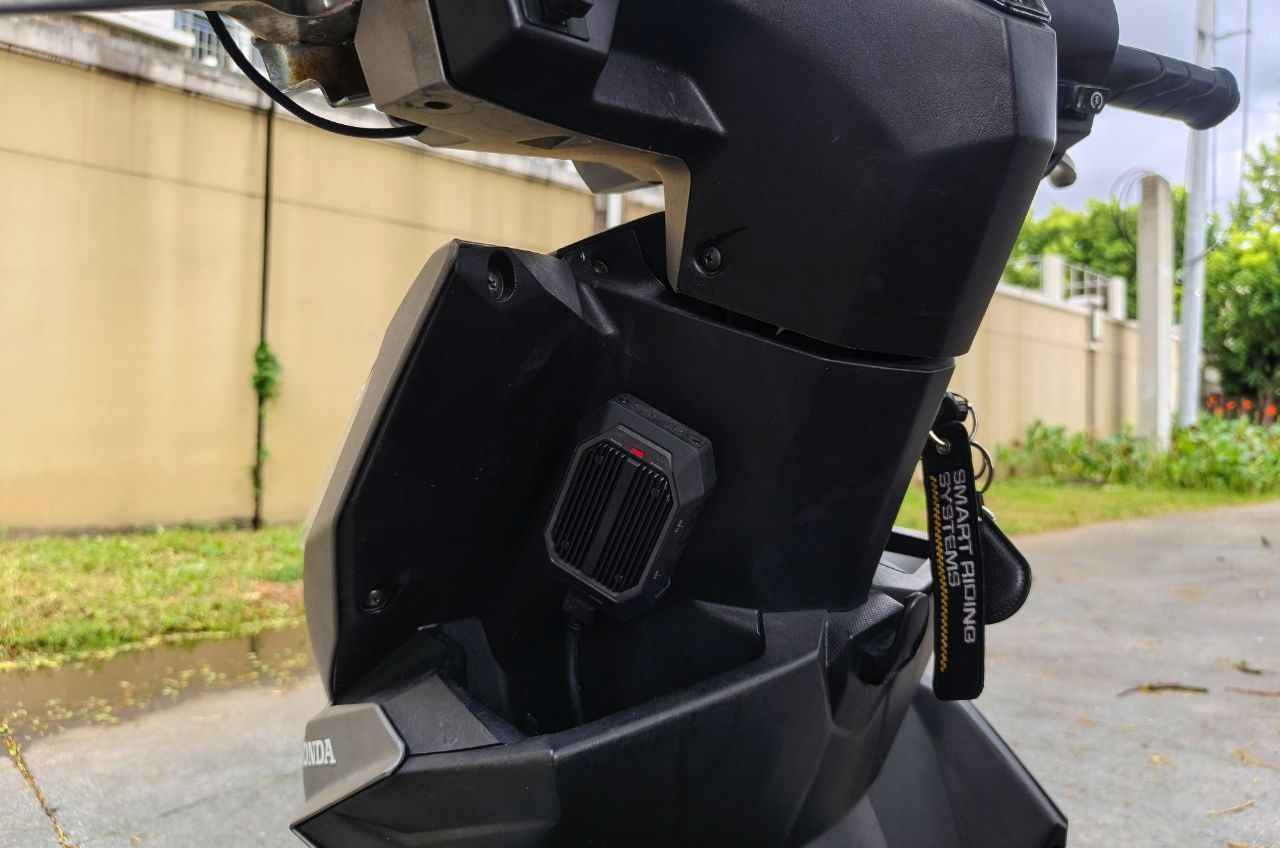
The CHIGEE XR-1 is a screenless front and rear motorcycle dash cam designed for permanent, hidden installation. The main unit tucks under the seat or in the gloves box of your motorcycle, wires into the bike's 12V system, and starts recording automatically the moment you turn the key.
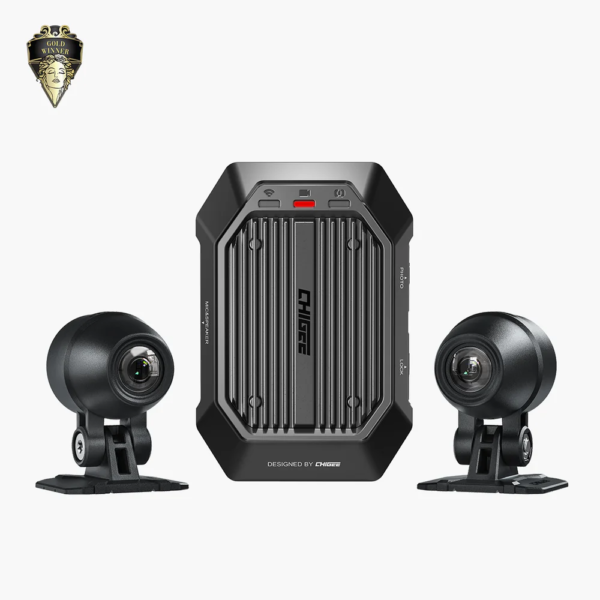
That’s exactly why I went with the CHIGEE XR-1. It’s a minimalist motorcycle dash cam with no screen at all. Just a hidden main unit, a front camera, a rear camera, and a system that quietly records every single ride. No fiddling, no babysitting, no clutter. After weeks of daily commuting, including a few properly wet rides, here’s my honest take.
Curious about my main setup? Read the full CHIGEE AIO-6 LTE review with months of daily Manila use.
What Is the CHIGEE XR-1?
The XR-1 is CHIGEE’s screen-free dash cam, a step away from their AIO-5 and AIO-6 smart displays. Those are great devices, but they’re built for riders who want navigation, CarPlay, and a full display on the bars. The XR-1 is the opposite philosophy: install it once, hide everything, and let it do its job in the background.
The quick specs:
- Front and rear cameras, both recording at 1080P up to 60FPS with Smart HDR
- 136° wide-angle lenses with stabilization
- Screenless main unit that mounts under the seat or inside the bodywork
- IP69K-rated main unit and IP68-rated cameras, genuinely built for rain and pressure washing
- Voice status notifications so you know it’s working without looking at anything
- Emergency clip lock on impact detection
- Parking Guard low-power monitoring while the bike is parked
- 5GHz Wi-Fi transfer to the CHIGEE GO app at over 10MB/s
- Optional wired GPS handlebar controller for clip locking and ride tracking
Price is US$219 for the standard kit, which puts it in the same conversation as a mid-range action camera, except this one is wired in, weatherproof, and never needs charging.
Why I Went Screenless
This is the part I want to spend time on, because I think a lot of riders get this decision wrong.
Since my Honda Beat is my daily-driven scooter, I wanted a dash cam that keeps things simple and doesn’t add unnecessary clutter. I don’t need another screen. My phone already handles navigation on the rare occasion I need it, and on a commuter scooter, every extra thing bolted to the bars is one more thing to worry about, one more thing that catches rain, catches dust, and catches the eye of the wrong person in a parking lot.
The XR-1 solves all of that by simply not being visible. The main unit tucks away under the seat. The cameras are small and discreet. Once installed, my Beat looks almost exactly the way it did from the factory. If you didn’t know where to look, you wouldn’t know it’s a bike with front and rear recording.
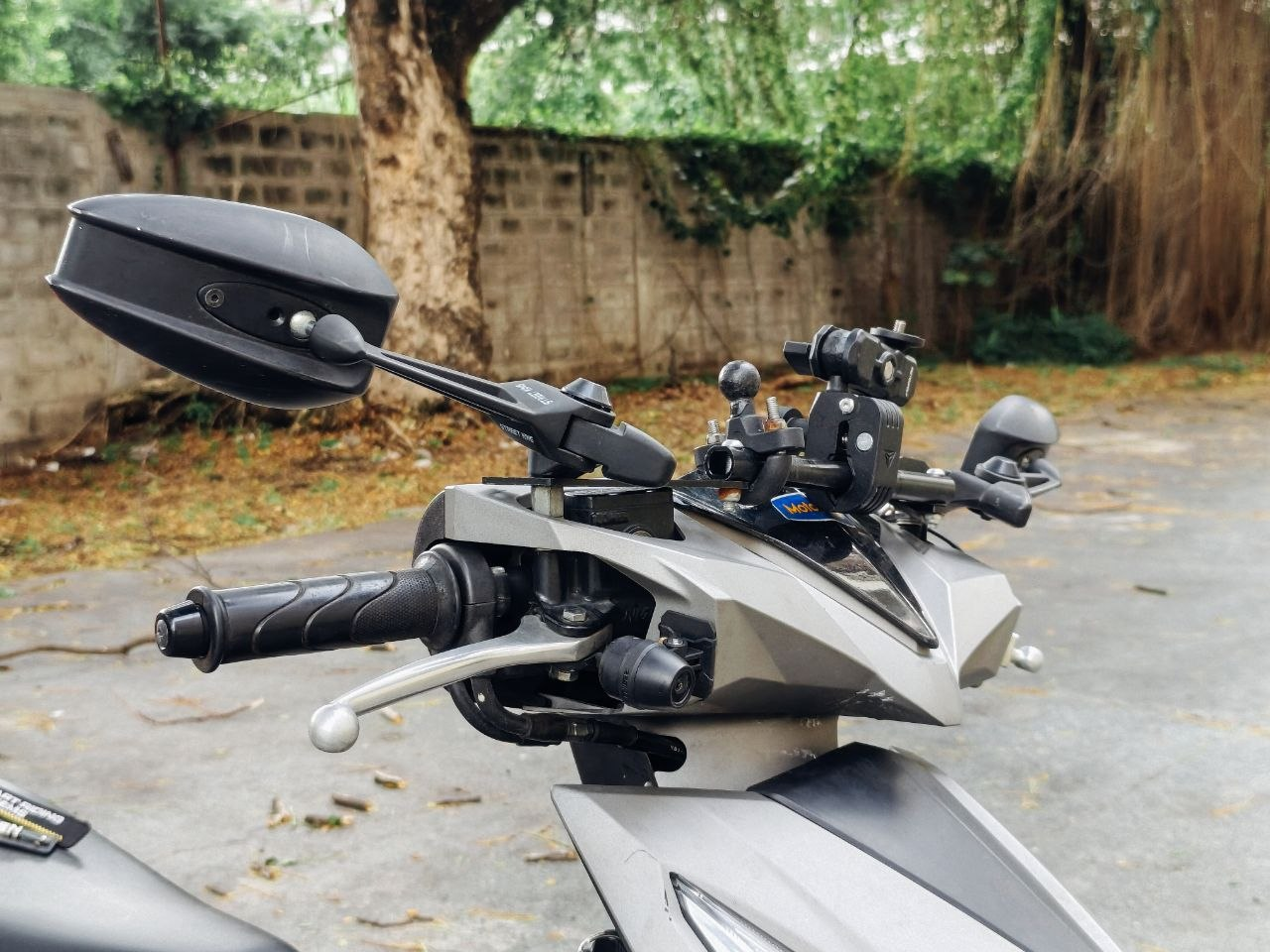
And here’s the thing about screenless: you’d think not having a display means not knowing what’s happening. CHIGEE’s answer is voice prompts. When you key on the bike, the XR-1 powers up and literally tells you it’s recording. It monitors its own SD card health, camera connections, and system status, and it speaks up if something’s wrong. That’s honestly better than a screen for daily use. I never look down to check anything. I turn the key, hear the confirmation, and go. If one day the SD card fails or a camera cable gets loose, the device will tell me instead of silently recording nothing for weeks. That silent-failure scenario is the nightmare of every dash cam owner, and the XR-1 handles it well.
Installation: Mostly Easy, With One Real Annoyance
Let’s talk install, because this is where I have my one genuine complaint.
The overall installation was easy. The kit comes with the main unit, both cameras, and all the cables you need. The process on a scooter like the Beat is straightforward: mount the main unit under the seat, run the front camera to the front apron area, run the rear camera near the tail, then wire power to the battery and an ACC (ignition-switched) source so the unit turns on and off with the key. If you’ve ever installed any accessory on a scooter, even just an LED light, you can handle this. If you haven’t, any motorcycle shop or accessories store can do it in under an hour.
Underbones and scooters like the Beat are actually ideal for this device. There’s plenty of space under the seat and inside the leg shield area to hide everything, and the 12V system is exactly what the XR-1 is designed for.
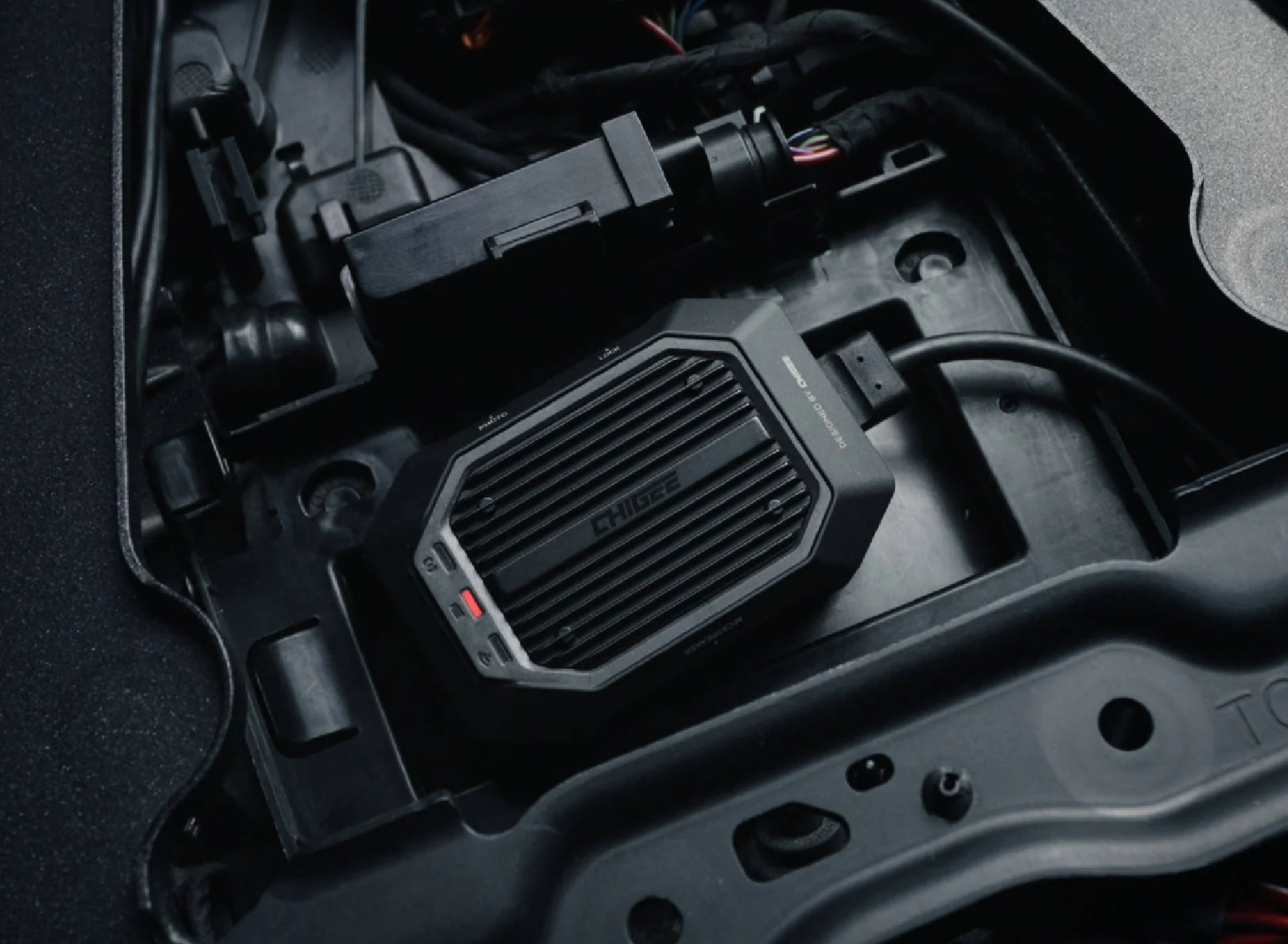
Now, the annoyance: the front camera cable is too short. Depending on your bike and how you route the wiring, you may find the front cable barely reaches (or doesn’t comfortably reach) where you want to mount it, while the rear cable has length to spare. I’m not the only one who ran into this. Look through user reviews and you’ll find riders reporting the same thing, and the common workaround is exactly what many of us ended up doing: swap the cameras, and use the “rear” camera up front. The cameras are identical in image quality, so functionally there’s no downside. It’s just a routing puzzle that CHIGEE shouldn’t have created in the first place. A longer front cable, or simply two equal-length cables, would fix this completely. CHIGEE , if you’re reading: this is the version 2 request.
Is it a dealbreaker? No. It cost me some extra minutes of head-scratching during installation, and the cable swap solved it. But it’s the kind of small friction that stands out on a device that gets almost everything else right.
The GPS Handlebar Remote: Speed and Position on Your Footage
There’s one add-on worth talking about: the XR-1 Wired GPS Handlebar Controller. Since the XR-1 itself is screenless and buttonless by design, this small remote gives you physical control while riding. It mounts on your handlebar or mirror stem, connects directly to the main unit by cable, and draws power from the XR-1 system, so there’s no battery to charge and no Bluetooth pairing to babysit.
It does two things. First, it’s a one-press control: tap it to lock the current clip or capture a photo without touching your phone. If something sketchy happens in front of you, you press the button and that footage is protected from loop recording immediately. That’s a big deal on a screenless system, because without it, your only way to lock a clip mid-ride is the Emergency Lock’s automatic impact detection.
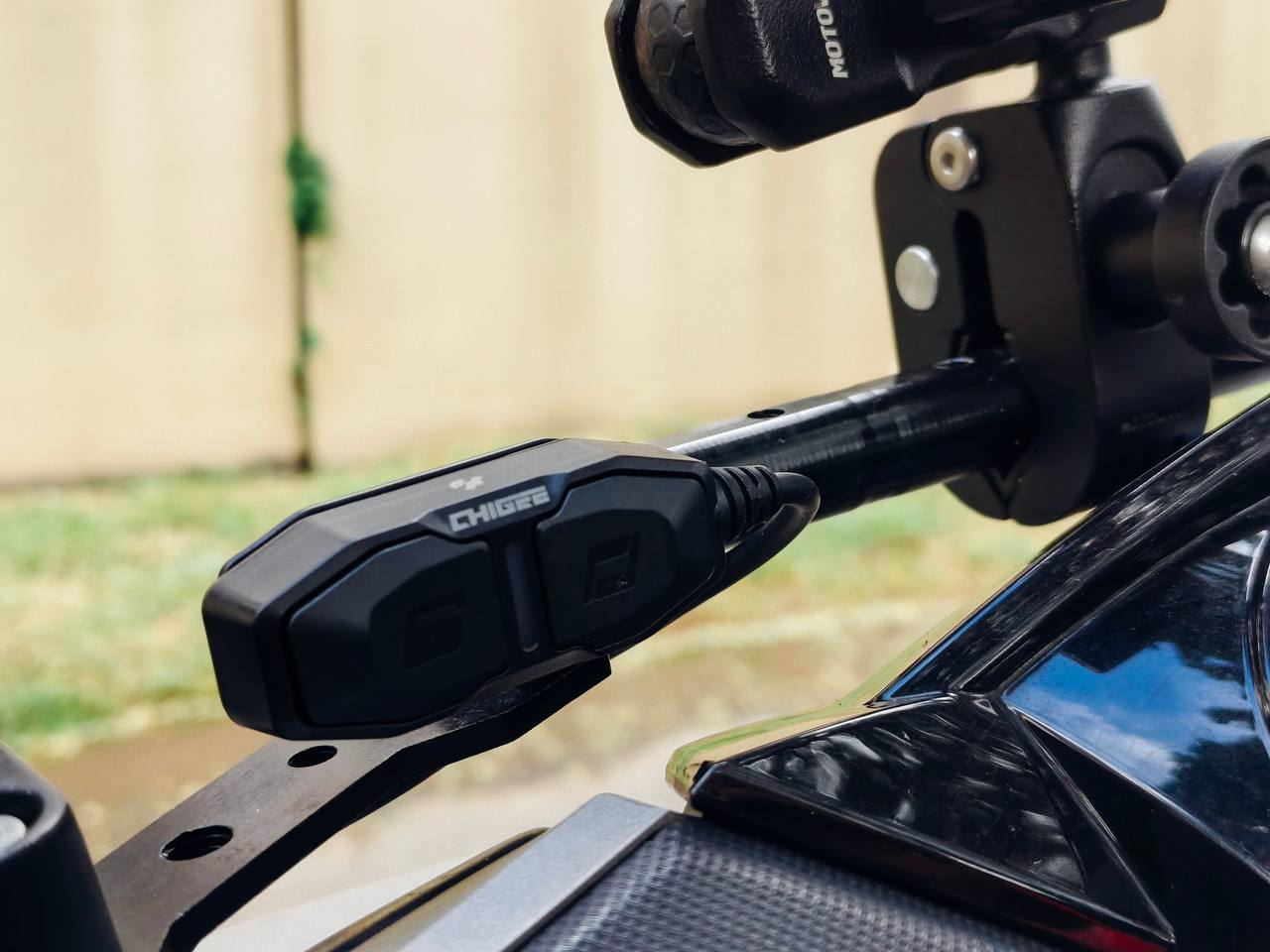
Second, and this is the part in the section title, it adds GPS to your recordings. With the remote connected, the XR-1 logs your route, speed, distance, ride time, and location in the background. Afterward, you can review the whole ride in the CHIGEE GO app, see your track on the map, and export videos with a GPS data overlay showing your speed and position baked into the footage.
Why does that matter beyond the cool factor? Evidence, again. Footage with a speed and position overlay tells a much more complete story after an incident. If a driver claims you were speeding, your video now shows exactly how fast you were actually going and exactly where it happened. For touring riders, it doubles as a ride logger: every route, every distance, every ride saved automatically.
If you’re a pure city commuter and just want basic recording, the standard kit is enough. But if you do longer rides, or you simply want your footage to carry speed and location data, the GPS remote is the one accessory I’d add to the cart.
Video Quality: Clear Where It Counts
Dash cam footage has one job: be usable as evidence. Cinematic quality is a bonus; readable plates and clear sequences of events are the requirement.
The XR-1 delivers on that job. Footage is very clear, noticeably better than I expected from a 1080P system, and the 60FPS option makes a real difference for catching plate numbers on vehicles moving in the opposite direction. Smart HDR pulls its weight in typical Philippine riding conditions: harsh midday glare, high-contrast scenes when you’re moving between shadows of buildings and open road, and backlit situations during golden hour when the sun sits low and directly in the lens. Details in shadows stay visible instead of crushing into black.
The 136° wide angle covers the lanes beside you, which matters here more than anywhere. Most of our incidents don’t come from straight ahead. They come from the sides. Jeepneys pulling out, cars drifting into the motorcycle lane, pedestrians appearing between parked vehicles. The wide field of view means the camera sees what actually causes accidents, not just the vanishing point of the road.
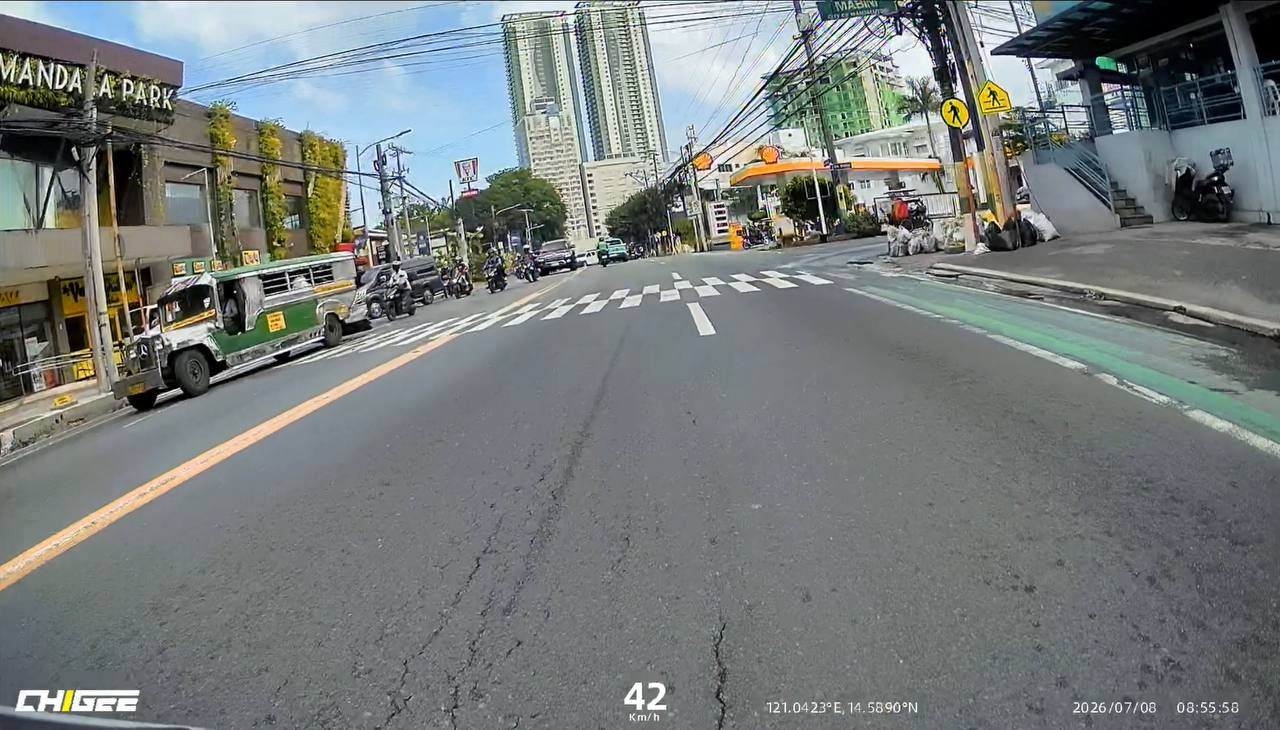
Loop recording runs in the background and overwrites the oldest clips automatically, so there’s zero file management. When the system detects a sudden impact or abnormal movement, the Emergency Lock kicks in and protects the current clip from being overwritten, so even if the worst happens and power gets cut, the footage that matters is preserved.
Transferring clips is painless too, and this surprised me. Since there’s no screen, everything happens in the CHIGEE GO app, and I expected the usual sluggish Bluetooth experience most camera apps give you. Instead, the XR-1 skips Bluetooth entirely and creates its own dedicated 5GHz Wi-Fi access point that your phone connects to directly. Files move at over 10MB/s, fast enough that I can save a clip before I’ve even taken my helmet off. For a content creator, that’s the difference between actually sharing a clip and telling yourself you’ll download it later (you won’t).
Parking Guard: The Feature I Didn’t Know I Needed
Here’s the feature that quietly became my favorite.
After you turn off the engine, the XR-1 doesn’t fully shut down. Instead, it drops into a low-power standby mode. The moment it senses vibration or a knock, it wakes up and records. Someone bumps your bike in a crowded mall parking lot? Recorded. Someone tries to move or lift your scooter? Recorded. A careless driver clips your parked bike and drives off? You have footage of a hit-and-run that would otherwise be a total mystery.
I tested this myself by nudging and shifting the parked Beat, and sure enough, the unit wakes and captures the event. When I keyed the bike back on afterward, the voice prompt confirmed the system status as recording resumed. It’s a small thing, but reassuring. You come back to your bike, turn the key, hear it check in, and know that both your ride and your parking time were covered.
For anyone who parks in public lots, along streets, or in crowded commercial areas (which is basically every rider in the Philippines), this feature alone justifies a hardwired dash cam over an action camera. An action cam can’t watch your bike while you’re inside buying groceries. The XR-1 can.
Rainy Season Tested
I’ve used the XR-1 through genuinely wet rides. Not just a light drizzle, but proper rain where you’re second-guessing why you didn’t take the car (except I don’t take the car, because traffic). The system didn’t blink. No fogging inside the lenses, no glitching, no dropped recordings.
This is where the ratings actually mean something. The main unit is IP69K rated, which means protection against high-pressure, high-temperature water jets, not just splashes, and the cameras are IP68. In practical terms: rain is a non-event, and you can pressure-wash the bike without worrying about your electronics. For a country with a five-month wet season, this isn’t a nice-to-have. It’s the minimum requirement, and the XR-1 clears it with room to spare.
Prefer a display with navigation and CarPlay on top of your dash cam? Start with our CHIGEE AIO-5 Evo vs AIO-5 Lite comparison to pick the right screen.
What Could Be Better
Honest review means honest gripes, and after weeks of daily use I really only have one: the front camera cable length. Covered above, but worth repeating because it’s the most common complaint from other owners too. The cable swap works, but it shouldn’t be necessary. That’s genuinely it. The footage is sharp, the app experience is smooth, and everything else has just worked.
Verdict: Who Is the XR-1 For?
The CHIGEE XR-1 is for the rider who wants protection, not another gadget to manage. If your bike is your daily transport, whether a scooter, an underbone, or a commuter big bike, and you want every single ride recorded without thinking about it, this is one of the cleanest solutions on the market right now.
It starts recording when you start the bike. It tells you out loud that it’s working. It watches your bike while it’s parked. It shrugs off the rain. And it does all of that while staying completely invisible on the bike.
CHIGEE XR-1
The CHIGEE XR-1 is a screenless front and rear motorcycle dash cam designed for permanent, hidden installation. The main unit tucks under the seat or in the gloves box of your motorcycle, wires into the bike's 12V system, and starts recording automatically the moment you turn the key.
The short front cable is a real flaw, and I’m docking points for it. But once installed, cables swapped and all, the XR-1 has been one of those rare accessories that disappears into the ownership experience. I don’t manage it. I don’t charge it. I don’t think about it. It’s just there, quietly recording, giving me peace of mind on every ride through traffic that has absolutely no interest in giving me any.